
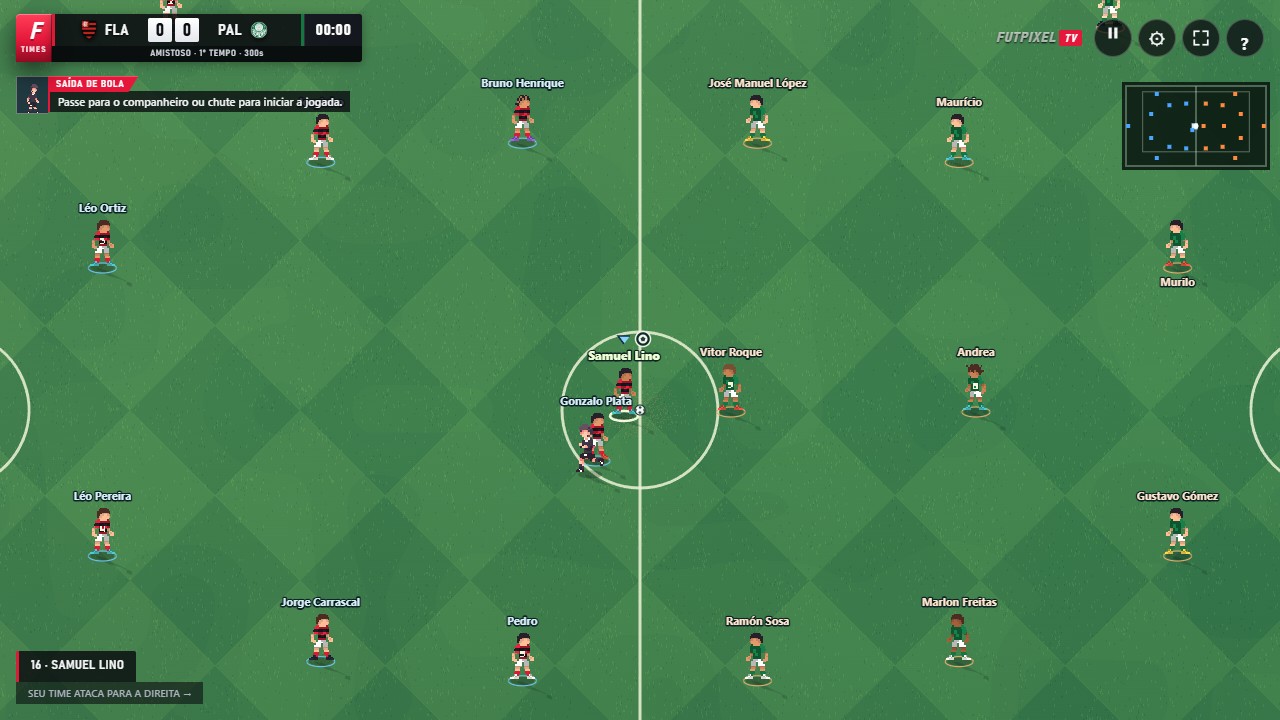
Choose your match
On the home screen, select Friendly. Choose a league and club for your team, then do the same for the opposition. The badges, kits and attack, midfield and defence ratings help you compare the teams.
Continue to the match options. Set the duration, stadium and kick-off time. Start the game and watch the introduction and coin toss. At kick-off, pass or shoot to get the match moving.
Three controls to get started
On the keyboard, use WASD or the arrow keys to move, X to pass and Space to shoot. Hold and release Pass or Shoot to control the power. A quick tap is enough for a short pass; you do not need to fill the bar for every move.
With the default controller layout, the left stick moves, ✕ / A passes and ○ / B shoots. These pairs show the PlayStation and Xbox symbols. If you have customised the controls, check the list in Settings → Controller.
Understand player switching
After a pass, you take control of the receiver. When a teammate wins the ball, you take control of that player too. Without the ball, use Q or L1 / LB to switch player and close down space. The game controls the goalkeeper.
Start by defending the passing lane instead of chasing the ball with every defender. Save sprinting for reaching a loose ball or attacking space: the effort drains the player's energy.
Pause and adjust
Use P, Start or the pause button to open the menu. You will find settings, team options and the option to leave the match. To learn without worrying about a friendly's result, return to the home screen and choose Training.
Open FutpixelTV and put this guide into practice.
Play now ↗